
Knowledge
How to Use a Cricut Machine for Beginners (Simple Step-by-Step Guide)
Feb
How to Use a Cricut Machine for Beginners (Simple Step-by-Step Guide)
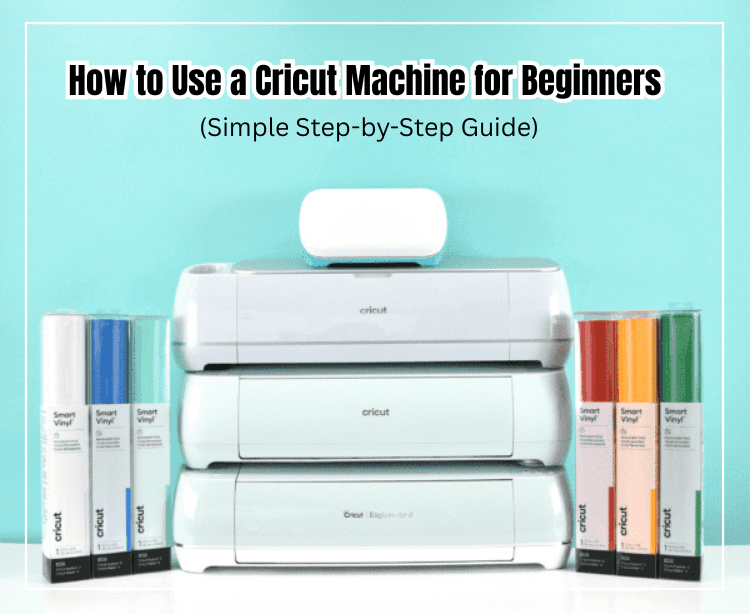
A Cricut machine is a popular digital cutting tool used to create stickers, vinyl decals, custom t-shirts, and many other DIY projects. If you’re new to Cricut, this guide will show you how to use a Cricut machine step by step in a simple and beginner-friendly way.
What Is a Cricut Machine?
A Cricut machine is an electronic cutting machine that works with digital design files, mainly in SVG format. It can precisely cut materials such as:
- Vinyl
- Heat Transfer Vinyl (HTV)
- Sticker paper
- Cardstock
- Paper and thin fabric
What You Need to Get Started with Cricut
Before using your Cricut machine, prepare:
- A Cricut machine (Explore, Maker, or Joy)
- Laptop, PC, or iPad
- Cricut Design Space software
- Cutting mat
- Material to cut
- SVG files compatible with Cricut
You can find ready-to-use, Free SVG For Cricut at https://svggood.com/free-svg/
How to Use a Cricut Machine (Step by Step)
1. Install Cricut Design Space
Download and install Cricut Design Space from design.cricut.com, then sign in or create an account.
2. Upload an SVG File
Open Design Space → Click Upload → Select your SVG file → Add it to the canvas.
3. Adjust Your Design
Resize and position your design as needed.
If you are using HTV, remember to turn on Mirror mode before cutting.
4. Prepare the Cutting Mat
Place your material on the cutting mat, smooth it out, and load the mat into the Cricut machine.
5. Start Cutting
Click Make It, choose the correct material setting, and press the C button on your Cricut.
Tips for Clean Cricut Cutting Results
- Use high-quality SVG files
- Select the correct material setting
- Keep your blade and mat clean
- Always double-check mirror settings for HTV
Using well-organized SVG files helps avoid cutting errors and saves time. For beginners, using pre-made SVG files from svggood.com can make the process much easier.
Thank You Good Luck 🙂


